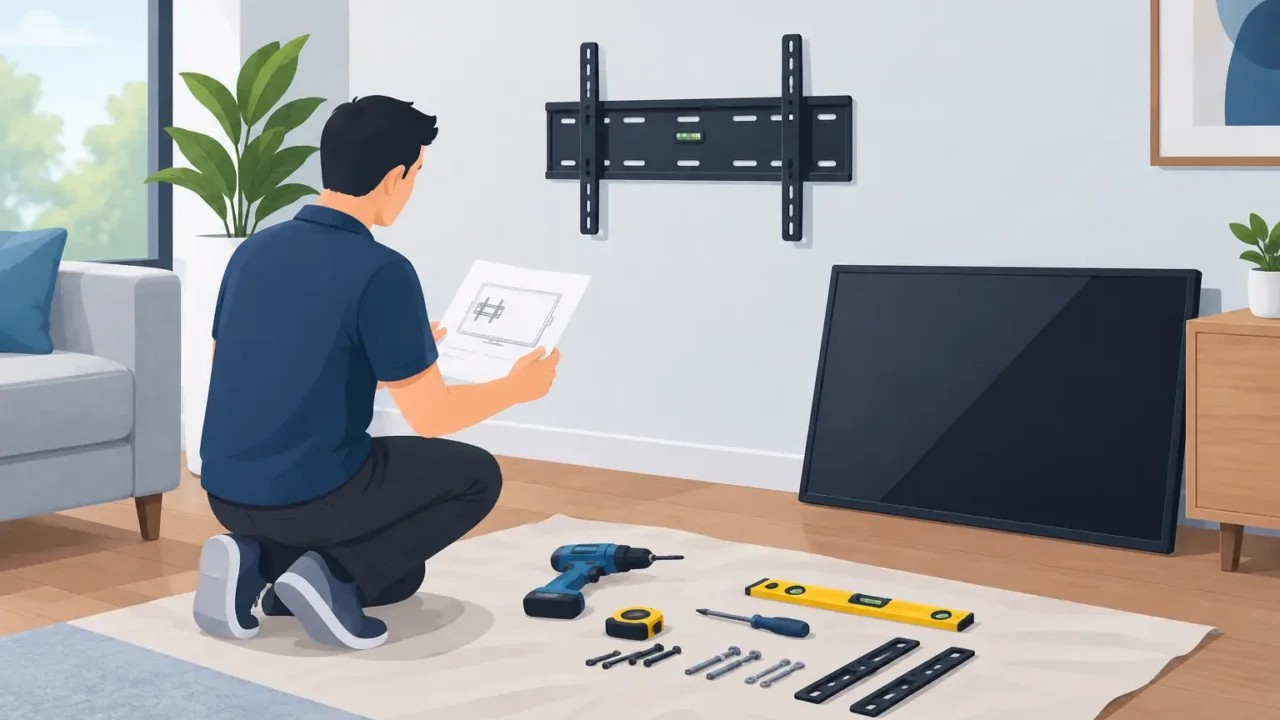
A new TV can quickly become the center of a room, but the result depends on more than choosing the screen size. Good TV mount preparation gives your installer a clear, safe workspace and helps prevent last-minute decisions about height, wall placement, power, or missing hardware. A few minutes of planning can make installation day easier and leave you with a setup that looks intentional instead of improvised.
For homeowners in the Dallas-Fort Worth area, preparation also matters because wall construction, room layout, and existing wiring can vary widely from one home to the next. The goal is not to turn the project into a complicated DIY job. It is simply to make sure the television, mount, location, and room are ready before the appointment begins.
Start TV Mount Preparation With the Right Equipment
Before scheduling installation, confirm that you have the television and a compatible wall mount on hand. Most mounts list the TV size range, weight capacity, and VESA pattern they support. The VESA pattern is the spacing of the mounting holes on the back of the TV. It needs to match both the television and the bracket.
A mount that fits a 55-inch television is not automatically right for every 55-inch model. Weight, hole placement, and the type of mount all matter. If you are unsure, check the TV manual or manufacturer specifications before purchasing the hardware.
Choose the mount based on how you use the room. A fixed mount keeps the TV close to the wall and is often a clean choice for a dedicated viewing area. A tilting mount can help reduce glare or improve the viewing angle when the TV is positioned higher. A full-motion mount allows the screen to extend and swivel, which can be useful in a corner, open-concept space, or room with multiple seating areas.
That extra movement comes with a trade-off. Full-motion mounts place more leverage on the wall and require careful attachment to proper structural support. They can also make cable management more visible when the TV is pulled away from the wall.
Keep the original hardware that came with the mount together, including bolts, washers, spacers, and instructions. Do not assume hardware from another project will fit. If the television has an unusual back shape or recessed mounting holes, the spacers included with the mount may be necessary for a secure fit.
Choose the Wall and Viewing Height Before Arrival
The best wall is not always the most open one. Think about where people will sit, where sunlight enters the room, and whether the television will be viewed from one primary location or several. A wall directly across from the main seating area is often the simplest choice, but glare from windows and overhead lights can change the experience considerably.
For most living rooms, the center of the screen should be near seated eye level. That does not mean there is one perfect number for every home. A TV above a fireplace, for example, may need to sit higher than ideal because of the available space. In that case, a tilting mount may improve comfort by angling the screen downward.
Before installation day, use painter’s tape or cut paper to outline the approximate size of the television on the wall. Sit where you normally watch and look at the proposed location. This simple step can reveal whether the screen feels too high, blocks artwork, crowds a doorway, or sits where afternoon glare will be a problem.
If you plan to mount the TV above a fireplace, consider heat as well as viewing height. Follow the TV manufacturer’s guidance about clearance from heat sources. A television should not be installed in a location where excessive heat could affect its operation or warranty.
Check for Structural Support and Wall Conditions
A television mount needs to be attached to appropriate support behind the wall. In many homes, this means wall studs. The exact mounting approach depends on the wall material, television weight, mount type, and the location of available studs.
Avoid planning the installation around a spot that is convenient only because it is centered on the wall. Stud locations may not line up perfectly with the center of a fireplace, console, or seating area. An experienced installer can assess the wall and explain practical options, but it is helpful to stay flexible about shifting the TV slightly if the wall conditions require it.
Let the installer know ahead of time about any wall concerns you are aware of, such as recent drywall repair, a damaged section of wall, masonry, paneling, or a wall shared with a garage. This information helps set realistic expectations before the appointment.
Be especially cautious around locations where plumbing, electrical wiring, or other utilities may run inside the wall. Homeowners should never assume that an open area of drywall is empty behind the surface. Safe mounting requires evaluating the wall before drilling.
Plan Power, Devices, and Cable Placement
A mounted TV looks best when the nearby power and connected devices have been considered in advance. Identify the outlet you plan to use and make sure it is accessible. Extension cords should not be concealed inside a wall or used as a substitute for properly located power.
Think through everything that will connect to the television. That might include a cable box, streaming device, game console, soundbar, antenna, or media receiver. Each device needs a place to sit, power, and connect to the TV. If equipment will be stored in a cabinet, check that the cables are long enough and that the device has reasonable ventilation.
A soundbar deserves particular attention. Decide whether it will rest on a media console, mount below the TV, or sit elsewhere. Its placement can affect the final TV height and the hardware needed for the project.
If you want a cleaner cable appearance, discuss the desired result before installation. Some homeowners are comfortable using an exterior cord cover that matches the wall. Others may want to explore a different electrical or low-voltage solution with the appropriate provider. The right approach depends on the home, the equipment, and what work is needed.
Clear the Work Area and Protect What Matters
Installation goes more smoothly when the wall and surrounding floor are easy to access. Move fragile items, lamps, décor, and furniture away from the work area before the appointment. If a console must remain under the TV location, clear its top surface so there is room to work safely.
Have the television unboxed and available, but keep the screen protected until it is ready to be installed. Save the packaging until the project is complete in case the TV needs to be transported or returned. Place the remote, power cord, and any included accessories where they can be found easily.
If you have pets or young children, plan for them to be out of the work area. Mounting a television requires carrying a large screen, using tools, and keeping small hardware organized. A clear path from the entry to the room helps protect both the home and the equipment.
Share Details Before the Appointment
Clear communication prevents many common delays. When requesting service, provide the TV size, the type of mount you purchased, the wall location, and any related equipment such as a soundbar. Photos of the wall can also be useful when requested, particularly if the installation area includes a fireplace, stone, brick, paneling, or an unusual layout.
It also helps to mention access concerns, such as stairs, a gated community, limited parking, or a room located upstairs. These details allow the appointment to be planned appropriately and reduce surprises on the day of service.
Direct Home Pros takes a straightforward approach to TV mounting: clear expectations, careful work in your home, testing after installation, and cleanup when the job is complete. Having the right equipment ready and the location selected allows the visit to stay focused on a secure, polished installation.
A well-mounted TV should feel like it belongs in the room from the first evening you use it. Take the time to choose the location, confirm your equipment, and clear the space, then you can settle in knowing the project started with the right preparation.